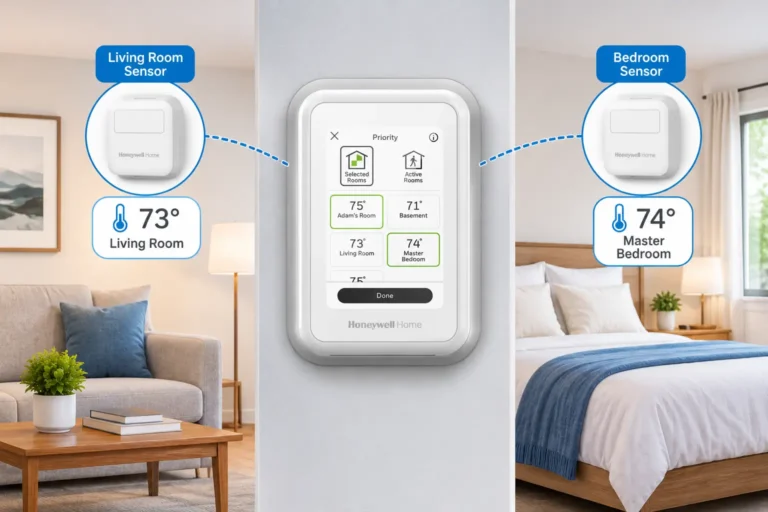
On most modern Honeywell thermostats, the “cover” is the thermostat itself. Most modern models pull straight off the wall plate. Hold the unit with your fingers on top and your thumb on the bottom, then pull it directly off. The wall plate stays screwed to the wall, and nothing needs unscrewing. honeywellhome
Release methods differ by model, though. This guide shows what the cover is on your thermostat, when you need to switch power off, and how to remove it without damaging the wall plate or the wiring behind it.
What “cover” means on a Honeywell thermostat
People use the word for three different parts, and only the first is usually what you want:
| What you want to open | What actually comes off | What stays on the wall |
| Batteries, model number, or the back of the unit | The thermostat body (faceplate) | The wall plate |
| The front of a classic Honeywell Round | The round cover | The wallplate or subbase |
| The decorative plate that hides wall marks | The cover plate | Nothing; the wall plate has to come off first |
Most thermostats have two parts: a wall plate screwed to the wall, and a faceplate that comes off. The decorative cover plate on newer models sits behind the wall plate. On the T6 Pro, the wall plate (UWP) hangs on the cover plate’s top hook and snaps in at the bottom. Removing the decorative plate therefore means taking the wall plate off the wall. That is a wiring job, so this guide does not cover it. Honeywell’s mounting steps begin with turning the power off at the breaker box or switch. Installing Your T5+ Smart Thermostat +2
Before you pull: model and power
Find your model number first. It decides which method applies. Honeywell model numbers start with TH, T, RTH, RCHT, CT, TL or RLV. If you have no ID card, remove the thermostat from its wall plate and check the back of the case. Pulling the unit off to read the label is the same action this guide describes. honeywellhome
Check whether power matters. There are two cases:
- Reaching batteries or reading a label. Honeywell’s battery steps for the models below do not ask you to cut power at the breaker. On the RTH2300 and RTH221, set the System switch to Off before removing the batteries. Otherwise the heating or cooling system could stay on even with the batteries out. resideo
- Touching any wire or terminal. Switch off power at the breaker first. Honeywell’s T5+ guide says to turn off power at the breaker box or switch that controls your heating and cooling system. To confirm it is off, check that a digital screen is blank. On a non-digital model, change the temperature setting. If the system doesn’t start within 5 minutes, the power is off. honeywellhome
Know your voltage. Most thermostats control a low-voltage system. A line-voltage thermostat switches mains power (120 or 240 V), typically for electric baseboard heaters. One home-improvement guide warns that line-voltage thermostats are dangerous when live and must be de-energized first. If yours is line-voltage, turn off its breaker before removing anything and consider an electrician for any wiring work. hunker
How to remove the cover, by model family
T-series thermostats on a UWP wall plate (T1 Pro to T10 Pro, T2 to T5, T9)
Honeywell describes the UWP as a wall plate that lets you pull one thermostat off the wall and pop a new one on in its place, with no screws. Resideo’s compatibility page lists models including the T5, T6 Pro, T9 and T10 Pro, so check your model number against it. resideo
- Hold the thermostat with your fingers along the top edge and your thumb along the bottom.
- Pull it straight toward you. On the T6 Pro, Honeywell’s user guide says to press gently to loosen the thermostat and then carefully pull it from the wall mount. manualslib
- Don’t twist or pry. If it resists, stop and read “If it won’t come off” below.
To refit it, line up the pins on the back of the thermostat with the holes on the wall plate. Push it onto the wall plate until it snaps into place. honeywellhome
RTH2300 and RTH221 series
- Set the System switch to Off if you are going to remove the batteries.
- Pull at the bottom to remove the thermostat from the wallplate. resideo
- Turn the unit over. The batteries are on the back.
These models take two fresh AAA alkaline batteries. After a battery change, most settings stay in permanent memory. Only the clock and day need resetting. resideo
FocusPRO series
For the N100 and P200 manuals, Honeywell says to detach the unit from its mount by pulling it away from the mounting plate. To refit it, align the unit with the mounting plate, then gently push until it clicks into place. docs.honeywellhome.com
Lyric Round
Pull the thermostat straight out from the wall. The face plate will disconnect this way if the sub base is securely attached to the wall. When you put it back, make sure the connection is secure. honeywellhome
Classic Honeywell Round (T87, CT87 series)
Honeywell’s CT87 installation instructions say to remove the cover of your old thermostat, noting that you may need to unscrew the cover if it is locked on. Look for a small locking screw before you pull. Honeywell’s CT87N guide says to remove the cover and thermostat but leave the wallplate with wires attached. manualmachinemanualslib
Older Round thermostats can contain mercury. Read the section on mercury below before you take one off the wall for good.
What you will see behind it
- Battery compartment, on models that use batteries.
- Model number, printed on the back of the removable body.
- Wall plate with labelled terminals and wires. Leave it fixed to the wall. If you want to look at the wiring, photograph it before touching anything. Honeywell advises photographing the wiring or sketching which terminal each wire is on. honeywellhome
If it won’t come off
- Don’t force it. Prying can crack the plastic or break the clips.
- Re-check the direction. Some models release by pulling at the bottom first.
- Look for a locking screw, especially on older Round models.
- Read your model’s guide. If it won’t separate, check the owner’s guide for the removal method. Honeywell’s guide finder is at honeywellhome.com/us/en/support/air/thermostats/product-selector/manuals. honeywellhome
- Contact support. Honeywell Home lists technical support at 1-800-633-3991 (US). honeywellhome
Putting the thermostat back
- Align it with the wall plate as described for your model.
- Push until it seats or clicks.
- Check that the display comes on. If you switched power off at the breaker, turn it back on.
- Check the time and schedule, and restore the System switch to Heat, Cool or Auto.
If your old thermostat contains mercury
Honeywell’s advice is to look for a glass tube containing a silver liquid. Mercury is typically found in older mechanical thermostats, such as the Honeywell Round T87 and the rectangular T8090. Honeywell’s warning is “Do not place your old thermostat in the trash if it contains mercury in a sealed tube.” honeywellhome
Opening the cover to look is fine. Don’t remove or break the tube. If you are replacing the thermostat, return the entire thermostat, because the housing protects the mercury switch during shipment. The Thermostat Recycling Corporation (TRC) was established in 1998 by the manufacturers of mercury thermostats. Find a collection point at thermostat-recycle.org, or ask your local household hazardous waste service. coloradoct
When to call a professional
Stop and get help from an HVAC technician or electrician if:
- the thermostat controls a line-voltage heater and you are unsure how to isolate it
- you see scorched wires, smell burning, or notice sparks
- the wiring doesn’t match your photo or labels
Honeywell warns that improper wiring or configuring of your thermostat can cause unintended operation of your HVAC system. If there is smoke or fire, leave the area and call emergency services. honeywellhome
Sources
- Honeywell Home: How do I find my thermostat model number?
- Honeywell Home: Installing your T5+ Smart Thermostat
- Honeywell Home: T6 Pro installation instructions
- Resideo: UWP wall plate compatibility
- Resideo: RTH2300/RTH221 owner’s manual (33-00102EF)
- Honeywell Home: FocusPRO N100 battery replacement
- Honeywell Home: Lyric Round battery replacement
- Honeywell Home: How do I know if my old thermostat contains mercury?
- Colorado CDPHE: Mercury thermostat recycling
- Connecticut DEEP: Mercury thermostat management