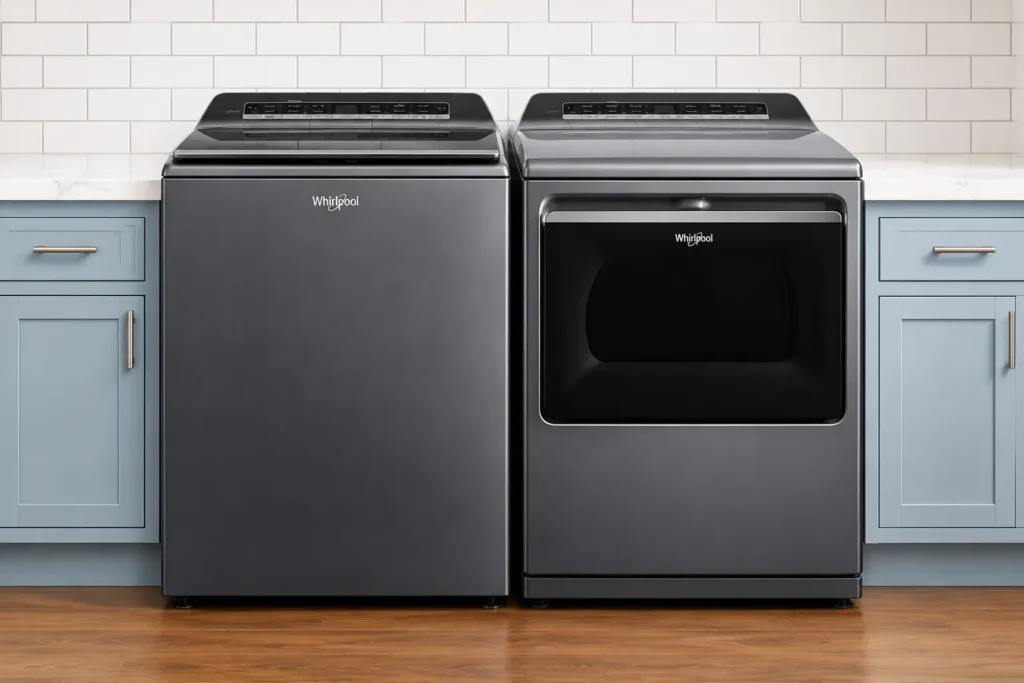
To reset a Whirlpool washer, cut power completely: unplug it (or switch off its breaker if it is hard-wired), wait five minutes, then restore power. Whirlpool’s support pages describe this power cycle as the standard reset for unresponsive controls, cycles that won’t start or finish, and error codes that remain after you’ve fixed the cause. Some models also have a “Restore Factory” setting. Others need a different fix altogether, such as a lid check or rebalancing the load.
Button names and options vary by model, and models sold in other regions can differ, so check your owner’s manual for your exact model number.
Before you reset: quick checks
A reset is not always the right fix. Run through these first.
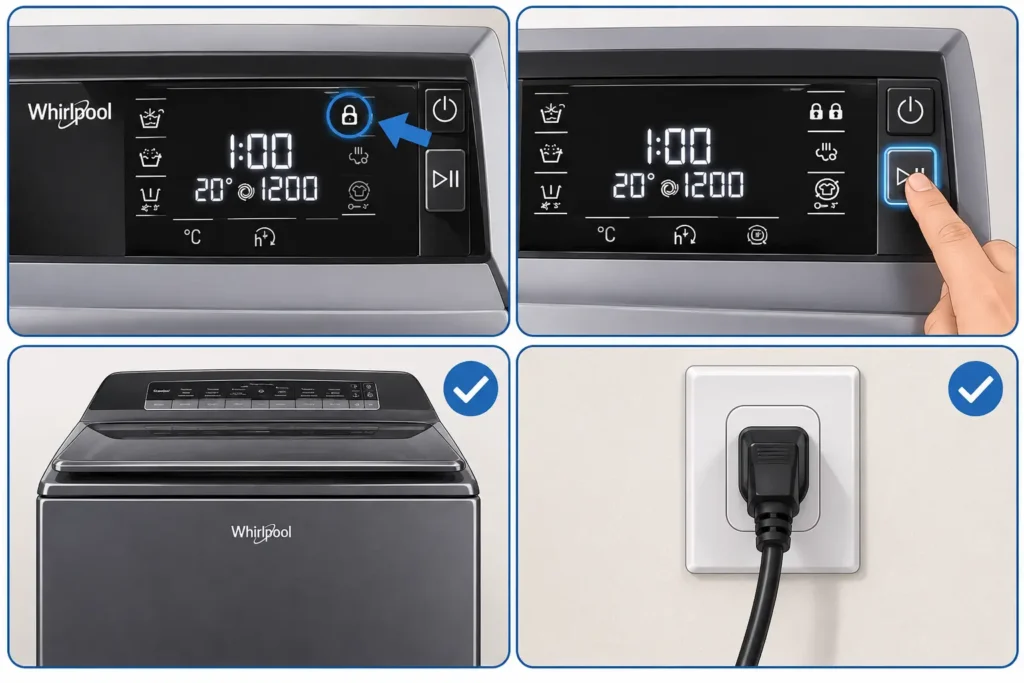
- Control Lock. If the panel doesn’t respond, a padlock or key symbol, or a Control Lock light, may be on. Whirlpool says to check your owner’s manual for how to switch it off on your model. On some models, holding the Control Lock button for about three seconds does it.
- Start button. On many top-load models, you may need to press and hold Start for up to three seconds to begin a cycle.
- Lid or door. The lid or door must be fully closed and latched, or the washer won’t run.
- Power. If the panel is completely dark, check that the plug is secure and the breaker hasn’t tripped.
- Unbalanced load. If a top-load washer has stopped because the load is unbalanced, Whirlpool advises redistributing the clothes rather than resetting.
How to reset a Whirlpool washer (power cycle)
This works for most Whirlpool washers: top-load, front-load and combination units.
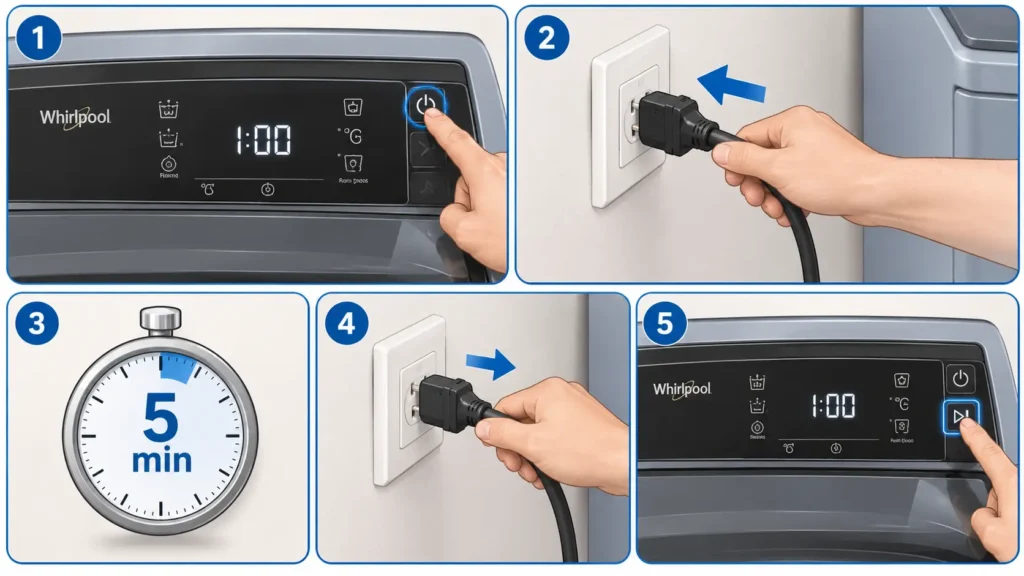
- Stop the washer. Press Power or Cancel if the controls respond.
- Cut the power. Unplug the washer. If the plug is hard to reach or the washer is hard-wired, switch off its breaker at the electrical panel.
- Wait five minutes. Whirlpool’s current reset page specifies five minutes. Some older pages say one minute, so five is the safer choice. This lets residual power drain from the controls.
- Restore power. Plug the washer back in firmly, or switch the breaker on.
- Turn it on and test. Close the lid or door, select a cycle and start it.
Expected result: The display or lights come back, and the washer accepts a cycle. Some models run a brief self-check first, so you may hear clicks or see the lid lock briefly.
Warning: Don’t open the cabinet or touch internal parts while the washer is plugged in. A reset needs only the cord or the breaker. Anything beyond that is for a qualified technician.
How to reset a washer with a locked lid or door
A lid or door can stay locked after a power cut or a stopped cycle. Try these in order.
- Pause the cycle. Press Pause (or Add Garment if your model has it), wait for the drum to stop, then open the lid or door. Close it fully and restart.
- Cancel the cycle. Press and hold Start/Pause or Power/Cancel for three to five seconds. Whirlpool says this drains the water and unlocks the door.
- If the panel is dead, power cycle. Unplug the washer, wait, restore power, then press and hold Cancel or Stop for about three seconds. Check that the door-lock indicator turns off.
- Wait a few minutes. Some machines use a thermal lock that releases after a short delay.
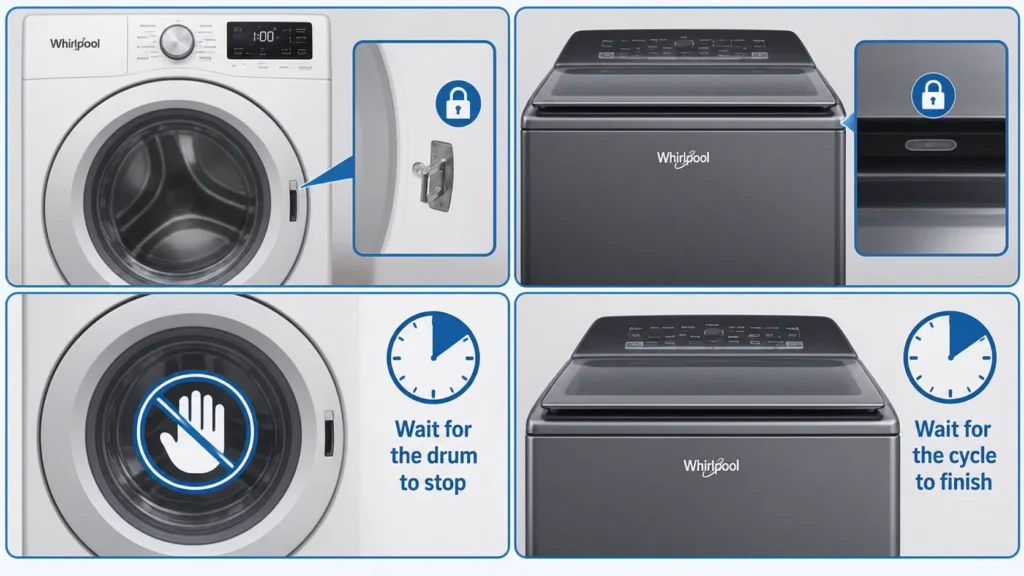
On top-load high-efficiency models, Whirlpool’s lid-lock guidance adds three checks: wait until the basket stops spinning, clear lint, clothing or detergent buildup from the lock area with a damp cloth, then power cycle for five minutes.
Warning: Never force the lid or door open, and don’t try to defeat the lock mechanism. The drum can spin at high speed.
How to restore factory settings (select models)
A power cycle doesn’t erase your saved cycles or preferences. A factory reset does, and it only exists on some models.
- Select front-load washers with a touchscreen. Go to Info, choose Restore Factory, and follow the prompts.
- Whirlpool all-in-one washer-dryers. Use the Restore Factory option under the tools/Info menu. Whirlpool notes you will need to reset the clock and reconnect to Wi-Fi afterwards.
- Compact front-load models. Whirlpool’s page for these says unplugging for 30 seconds returns cycle settings to factory defaults.
- Other models. Whirlpool says to check your owner’s manual for the factory-default steps for your model.
Whirlpool doesn’t publish a separate Wi-Fi-only reset in the pages checked. If a smart washer drops its connection, follow Whirlpool’s connection support. Its connection guide says the appliance needs a 2.4 GHz network, because 5 GHz isn’t supported.
What to do for common error codes
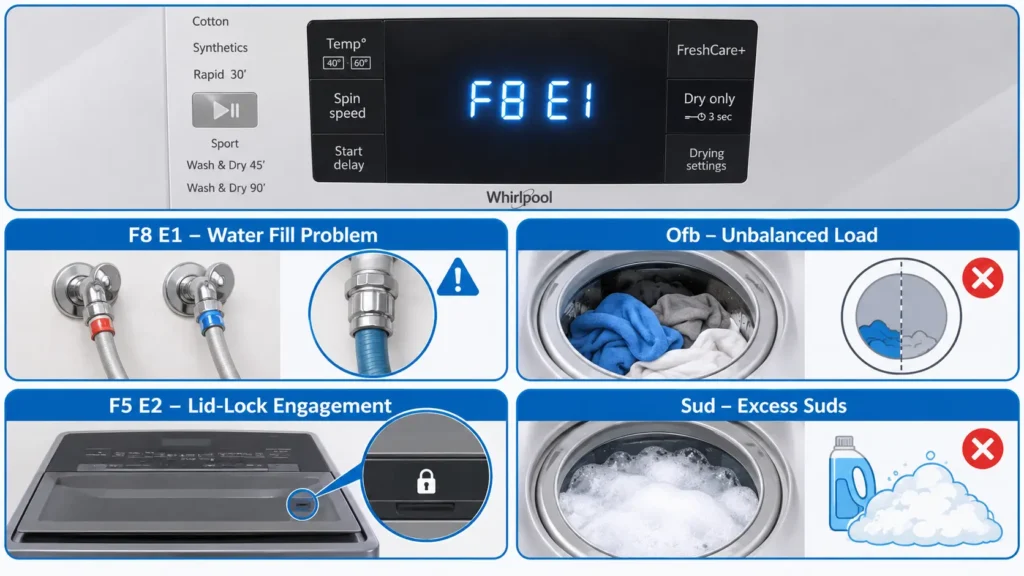
Error-code meanings differ by model and region, so confirm your code in your owner’s manual. These are the codes Whirlpool documents on its US top-load and front-load support pages.
| Code | What Whirlpool says | What to do |
| F# E# or F## | System error | On top-load HE models, press Start/Pause once to clear it, then again to restart. Some Cabrio manuals say touch Power to clear, then restart the cycle. If it returns, contact Whirlpool or schedule service. |
| F8 E1, LF or Lo FL | Washer is taking too long to fill, or isn’t detecting enough incoming water | Press Power and wait about 10 minutes while the washer pumps out. Then check that both hot and cold faucets are fully open and both inlet hoses are connected and not kinked. |
| Ofb | Load out of balance | Let the balancing routine finish. If the washer has stopped, redistribute the load, close the lid and press Start/Pause. |
| LdL / LdU | Lid won’t lock / won’t unlock | Check for items under the lid, detergent buildup at the lock, and anything resting on top of the washer. |
| F5 E2 | Lid lock can’t engage | Check the lock area for obstructions or clothing in the way. |
| F5 E4 | Lid-lock fault | Open and close the lid. If it persists, call for service. |
| PF | Power failure interrupted the cycle | Touch and hold Start to resume, or press Power to clear the display. |
| Sud | Excess suds | Use only HE (high-efficiency) detergent. |
For other codes, such as F3 E3 or F5 E3, Whirlpool’s pages suggest a five-minute power cycle first. If the same code comes back, schedule service.
When a reset won’t help
Whirlpool advises against relying on resets in these situations.
- The code returns. Clearing a code doesn’t fix its cause. Whirlpool says to address the underlying problem, and if a problem comes back after one reset, to troubleshoot or get help rather than resetting repeatedly.
- Maintenance causes. Residue in the drum or door seal, or parts that have worn out with age, need cleaning or replacement.
- Water or drain problems. Fill and drain codes often come from installation, such as hoses, faucets or the drain connection. Check these against your manual.
When to contact Whirlpool or a technician
Contact Whirlpool or a qualified technician if:
- the same error returns after a power cycle,
- the lid or door stays locked after the steps above,
- the controls stay unresponsive after you’ve checked power, the breaker and Control Lock, or
- you see signs of electrical or water damage, or smell burning.
In the US, Whirlpool’s support pages list customer service on 1-866-698-2538. In other regions, use the contact details for your country on Whirlpool’s site.
Frequently asked questions
How long should I leave a Whirlpool washer unplugged to reset it?
Whirlpool’s current reset page says five minutes. Its blog says one to five minutes, and one older page says one minute. Five minutes covers all of these.
Is there a reset button on a Whirlpool washer?
Many models don’t have a dedicated one. Resetting usually means a power cycle. Select models offer a “Restore Factory” setting in the menu.
Will resetting delete my saved cycles?
A power cycle generally doesn’t. Some manuals note that cycle settings return to defaults if power is lost. A factory reset does erase saved profiles and preferences.
Why won’t my Whirlpool washer start after a reset?
Check that the lid or door is fully closed, Control Lock is off, and Start is held for up to three seconds if your model requires it. Also confirm both water faucets are open.
Sources
- Whirlpool: How to Reset a Washer
- Whirlpool: How to reset a washing machine
- Whirlpool: Lid locking on a top-load HE washer
- Whirlpool: Error codes in top-load HE washers
- Whirlpool: F8 E1 / LF / Lo FL error
- Whirlpool: Info button, front-load washer
- Whirlpool: Restore Factory, all-in-one washer-dryer
- Whirlpool: Connecting your washer and dryer to Wi-Fi